Permissions Hierarchy
FaxCore features an enterprise permission governance model where domain-level policies establish hard constraints that override individual user settings.

Important
Domain Policy Enforcement If a domain administrator or system administrator disables a capability at the Domain level (e.g., disables International Sending or HTTP posting), no individual user within that domain can utilize that feature, regardless of their user profile settings.
Configuring Domain-Level Permissions
Navigate to Domain Settings > User Permissions and select the target domain from the selector.
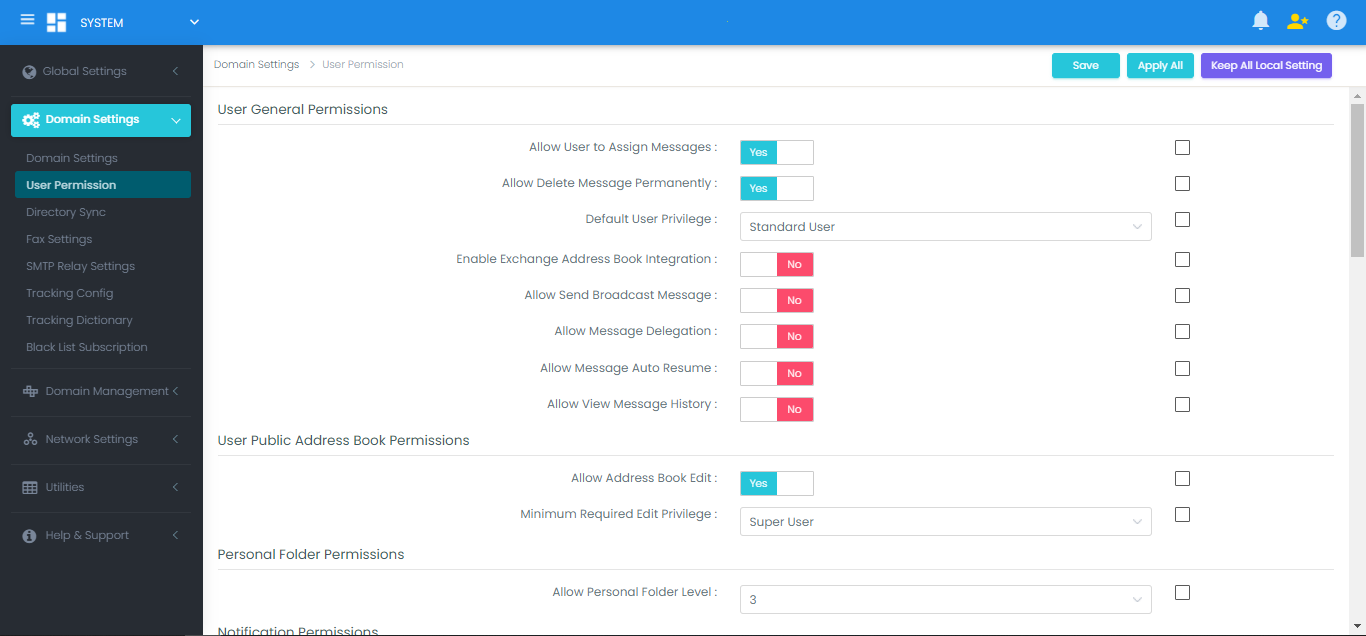
Delivery Channel Permissions
Control outbound message delivery channels permitted for domain members:
- Allow HTTP Sending: Permits users to dispatch documents to external HTTP/REST POST endpoints (e.g., SharePoint libraries, webhooks).
- Allow FTP Sending: Permits uploading rendered faxes to FTP/SFTP server targets.
- Allow File Sending: Permits saving documents directly to local drives or UNC network shares.
- Allow Printer Sending: Permits users to direct faxes to physical Windows network printers.
Document Upload & Quota Management
- Allow Document Upload: Enables attaching native documents to outbound faxes within the Web Client.
- Document Quota: Defines the maximum cumulative storage size (in MB) an individual user can retain in their document repository.
Notification Permissions
Governs automated email notification dispatch:
- Allow Notify When Message Receive Success
- Allow Notify When Message Receive Fail
- Allow Notify When Message Send Success
- Allow Notify When Message Send Fail
(By default, all four notification triggers are enabled).