Outbound Port Grouping
FaxCore allows administrators to group specific send ports into Port Groups. Port groups allow organizations to dedicate physical lines or FoIP channels to critical departments (e.g., Accounts Payable, Legal, or High-Volume Broadcasting) to prevent line starvation.
For example, on a 4-port server, Ports 0, 1, and 2 can be grouped into an Accounting_Outbound group, leaving Port 3 available for general company transmissions.
Creating a Port Group
- In the Admin Panel, navigate to Network Settings > Fax Agent > Ports Group.
- Click the + (New) button:
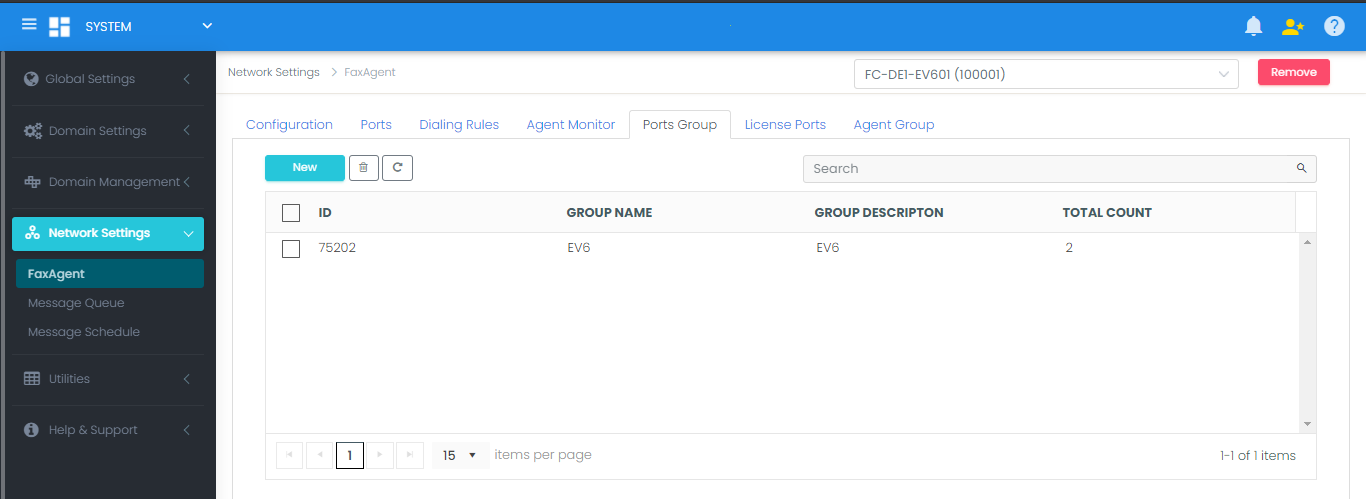
- Provide a Group Name and Group Description (e.g.,
DomainA_Dedicated). - In the port assignment panel, highlight unassigned ports and use the
>>button to move them into the group. - Click Save to create the group.
Modifying or Deleting Port Groups
- Edit Group: Click the port group name in the list at the bottom of the page. Modify the assigned channels using
<<and>>, then click Save. - Delete Group: Click the Trash Can icon next to the group. Any ports belonging to the group immediately return to the unassigned pool.