System Diagnostics & License Activation
When troubleshooting transmission failures, rendering errors, or applying product license upgrades, system administrators use the Support & Diagnostics modules located under the Support menu in the FaxCore Admin Panel.
1. System Error Log & Diagnostics Viewer
The Error Log Viewer (Support > Error Log) provides a centralized, real-time diagnostic feed of service exceptions, database timeouts, and telephony driver errors across all FaxCore server roles.
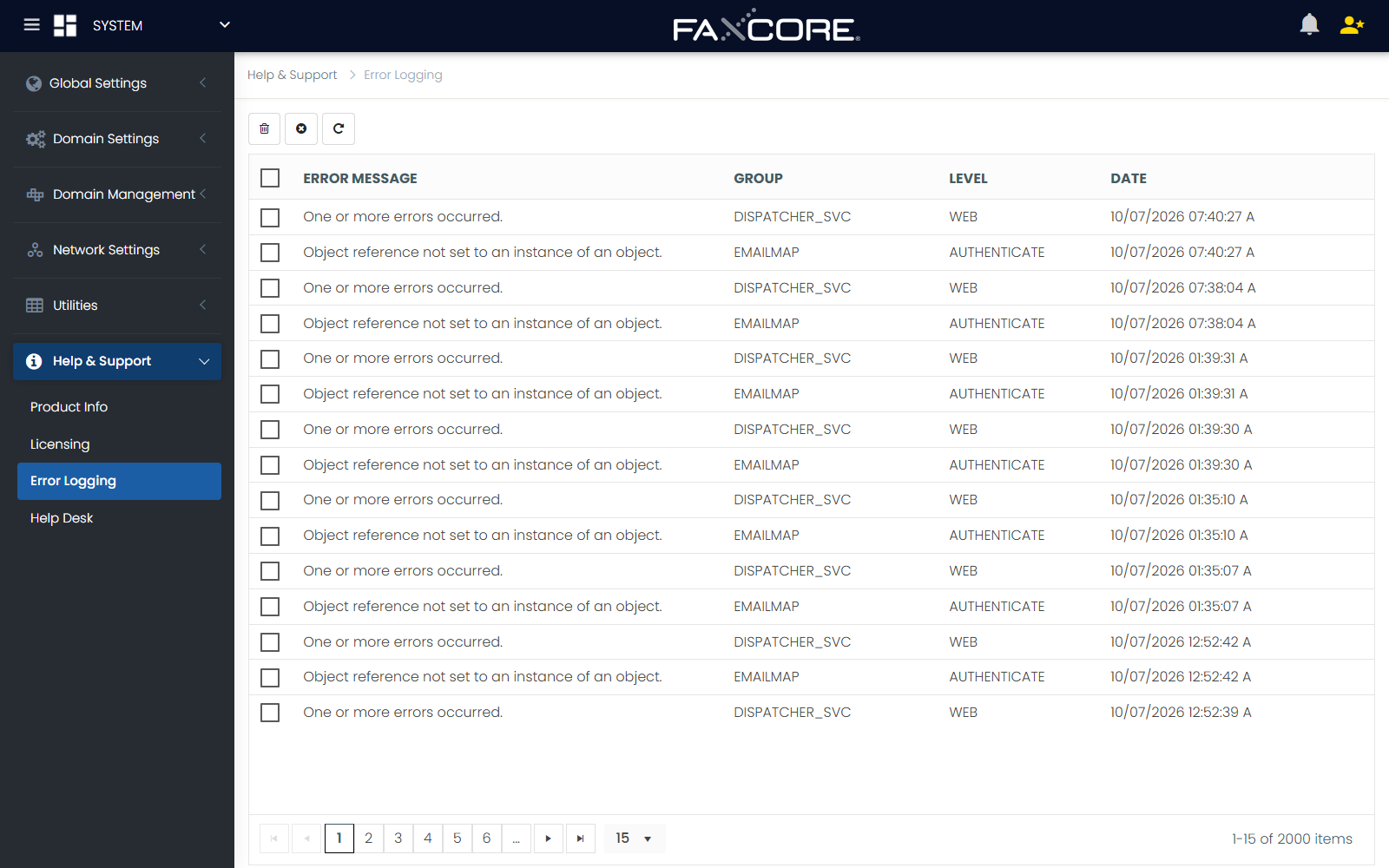
Error Record Details
Selecting an error entry from the grid opens the comprehensive diagnostic view:
| Field | Description |
|---|---|
| RecUID | Unique record identifier in the system error table. |
| Error Message | High-level summary of the exception. |
| Error Group | Subsystem category (e.g., RenderEngine, FaxAgent, Database, SMTPListener, WebPortal). |
| Error Level | Severity rating (Information, Warning, Error, or Critical). |
| Date Created | Exact UTC timestamp of the error event. |
| Username | Account associated with the transaction when the failure occurred. |
| Request IP | Originating client IP address or internal service endpoint. |
| Source File | Specific source code module and line number where the exception was thrown. |
| Stack Trace | Complete .NET Common Language Runtime (CLR) stack trace. |
Diagnostic Actions:
- Copy To Clipboard: Copies the full error details and stack trace to your clipboard for fast escalation to FaxCore Technical Support.
- Delete: Removes resolved error entries from the active viewing queue.
2. Product Licensing & Channel Allocation
To view active license capacities or apply new feature expansions, navigate to Support > License:
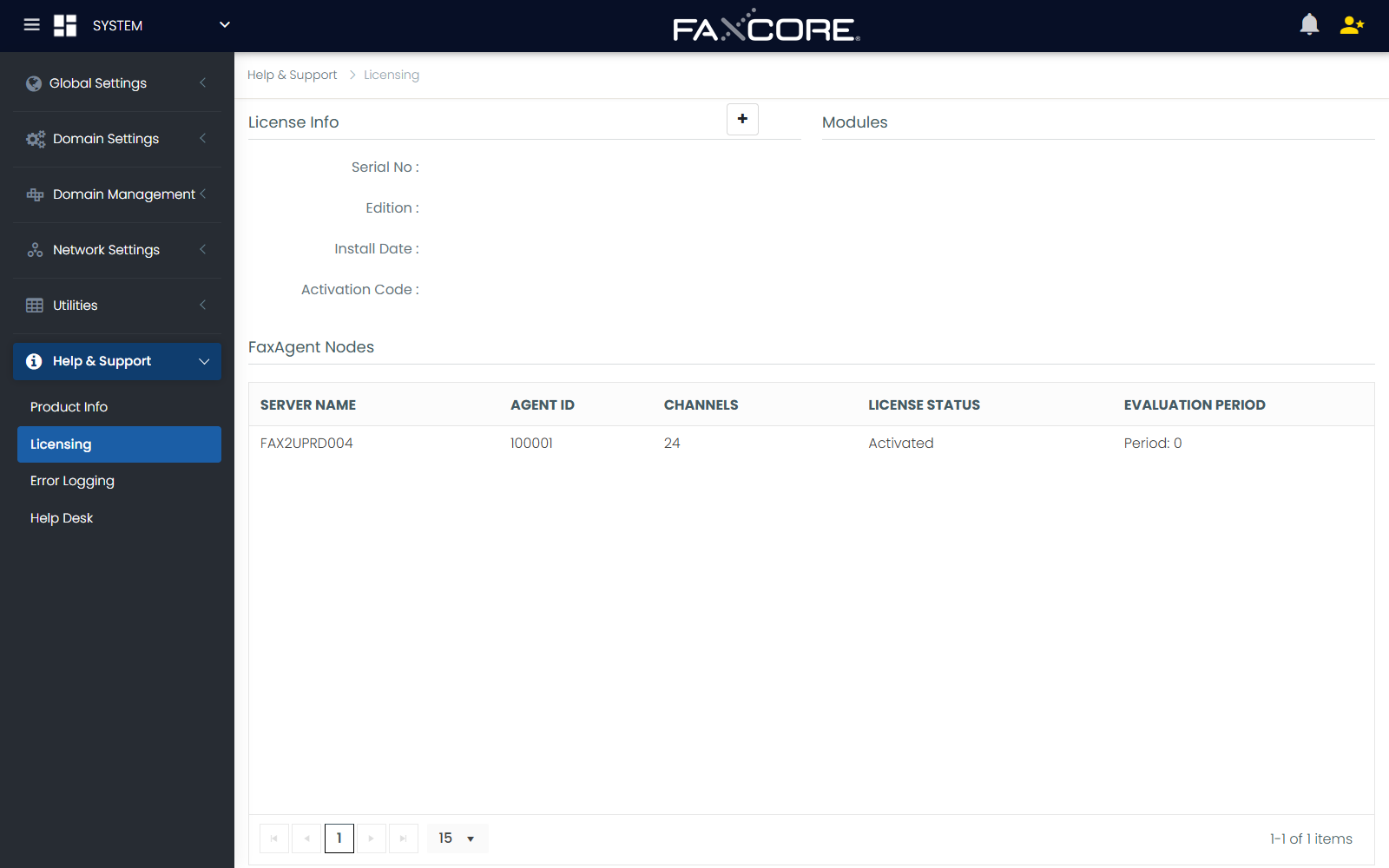
Activating a License
FaxCore Evolution eV6 supports two activation methods:
- Upload License File (
*.lic):- Click Choose File, select the official license file provided by FaxCore, and click Save.
- Paste License Text String:
- Open the
.licfile in a text editor, paste the encrypted cryptographic string into the text box, and click Save.
- Open the
License Information Overview
| Section | Key Metrics & Data |
|---|---|
| License Summary | Serial Number, Product Edition (SME / FIS, Standard, Enterprise), Install Date, and Activation Code. |
| Licensed Modules | Lists all activated add-on components (e.g., REST Web Services SDK, Epic EHR Connector, SAP RFC Connector, MFP Integration Modules). |
| FaxAgent Nodes | Grid detailing all registered FaxAgents, including Server Name, Agent ID, allocated Channel Count, License Status (Licensed / Unlicensed), and Evaluation Period remaining. |
3. Product Information & Build Verification
Navigate to Support > Product Info to inspect the installed build release:
- Application Version: Full semantic versioning string (e.g.,
FaxCore Evolution eV6 (Build 6.2.810)). - Core Assemblies: Version stamps for
FXC6.Core,FXC6.FaxAgent,FXC6.RenderAgent, andFXC6.Web. - Third-Party Libraries: Verified releases for Enghouse Brooktrout Boston SDK, TE-SYSTEMS XCAPI, and PDF rasterization engines.