Unrouted Fax Management (SYS-UNROUTED)
Any incoming fax that does not match an existing inbound routing rule is automatically routed to a dedicated internal system account: SYS-UNROUTED.
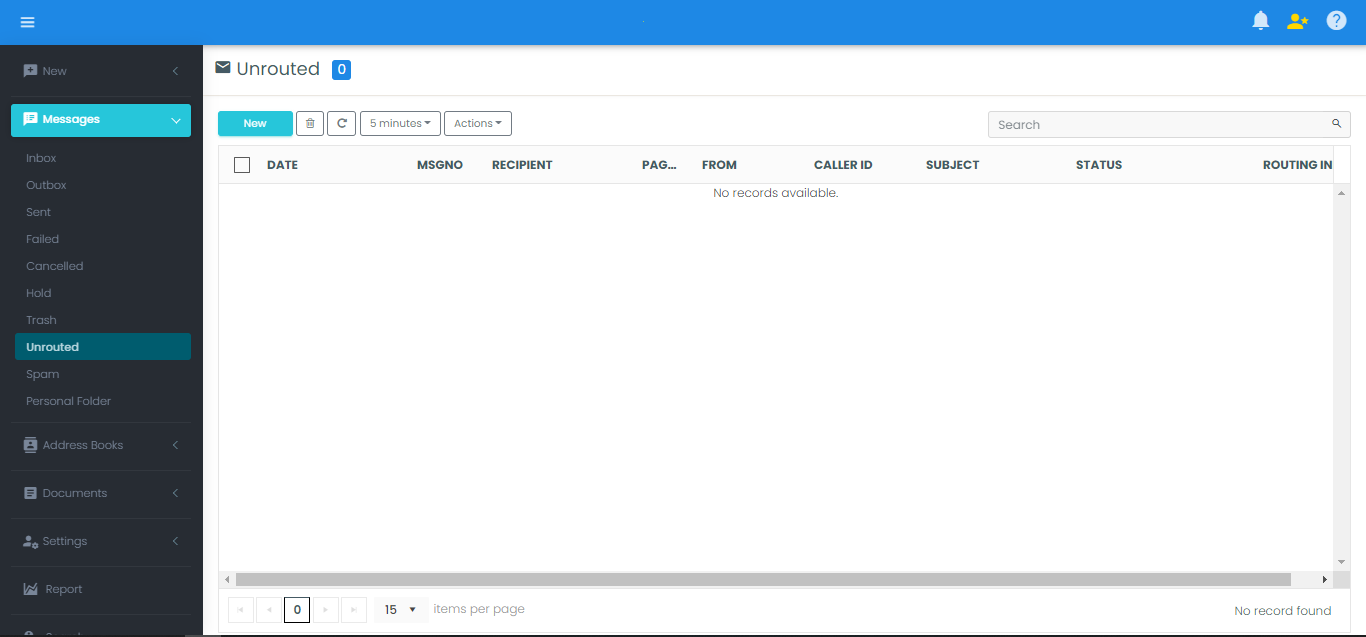
In the FaxCore Web Client, the inbox of this account is represented by a special system folder named Unrouted.
Delegating Unrouted Folder Access
By default, standard users cannot see or access the Unrouted folder. Administrators can grant message assignment privileges either across an entire domain or to designated triage clerks.
Option A: Enable for All Users in a Domain
- In the Admin Panel, navigate to Domain Settings > User Permissions.
- Scroll to the User General Permissions group.
- Set Allow user to assign messages to Yes.
- Click Save and Apply All.
Option B: Enable for Specific Triage Users
- Navigate to Domain Management > Users.
- Click on the designated triage user account to edit settings.
- Go to the Permissions tab:
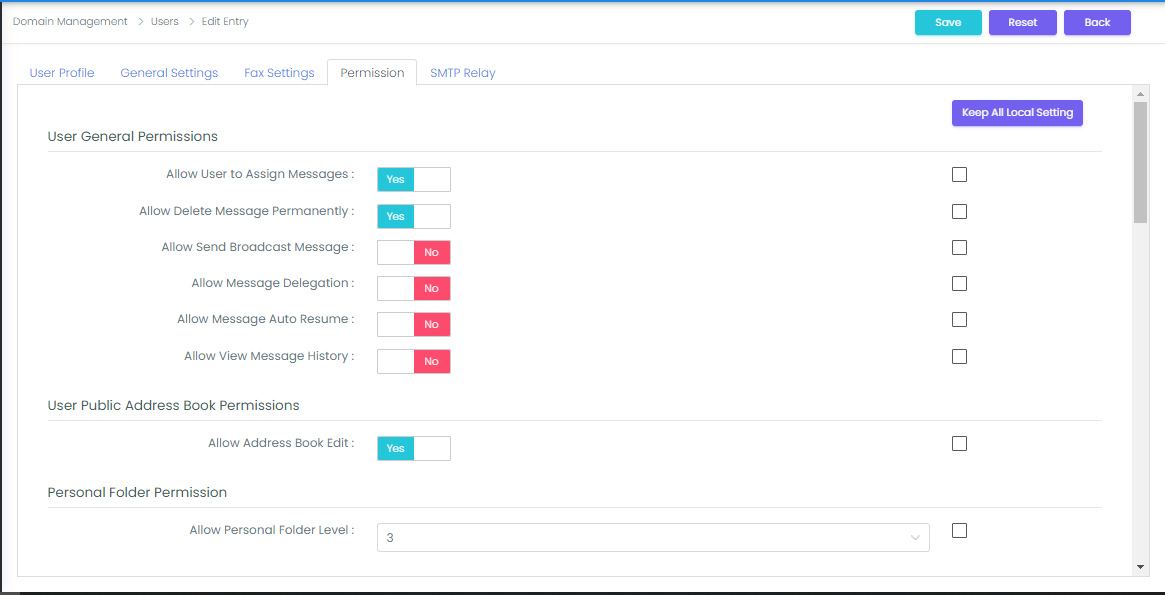
- Set Allow user to assign messages to Yes.
- Click Save & Close.
When these users log in to the Web Client, the Unrouted folder appears in their navigation tree, allowing them to view, re-assign, forward, or delete orphaned transmissions.