Bulk User Import
Administrators can onboard dozens or thousands of users concurrently by importing delimited text files or CSV spreadsheets into FaxCore.
Navigate to Utilities > Import Users.
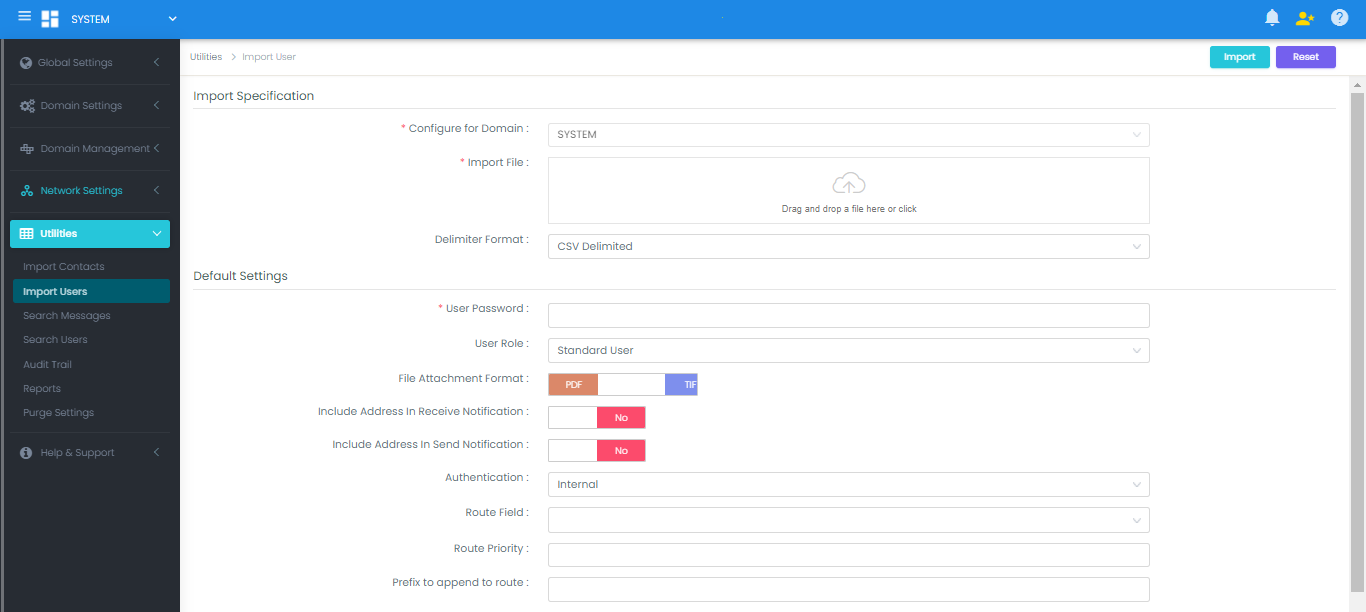
Default Import Layout (30 Columns)
If selecting the FaxCore Default Import Header, the CSV input file must structure fields in the following order:
UserName,DisplayName,FirstName,MiddleName,LastName,CompanyName,Email,Fax,Http,Ftp,File,Printer,Mobile,FaxRaw,Phone,Route,Desc,Password,Role,FileFormat,PreferAddressType,ReceiveNotify,SendNotify,Authentication,RouteField,RoutePriority,RoutePrefix,RouteLength,LocalCSID,LocalCallerID
Field Definitions & Examples
| Column Name | Description | Example Value |
|---|---|---|
| UserName | Unique login account name (Required) | jsmith |
| DisplayName | Formatted name displayed across client | John Milano Smith |
| FirstName | User's given name | John |
| MiddleName | User's middle name | Milano |
| LastName | User's surname | Smith |
| CompanyName | Organizational or tenant name | Contoso Corp |
Email address. Append FMT=PDF or FMT=TIF to set attachment format |
jsmith@contoso.com FMT=PDF |
|
| Fax | Outbound fax number | +1-720-870-4141 |
| Http | Webhook or HTTP POST endpoint URL | http://app.contoso.com FMT=PDF |
| Ftp | FTP delivery endpoint | ftp://ftp.contoso.com FMT=PDF |
| File | Local or UNC network folder path | \\server\shares\faxes FMT=PDF |
| Printer | Windows network printer name | HP LaserJet 4000 |
| Mobile | Cellular phone number | 1-720-870-4141 |
| FaxRaw | Raw fax string without parsing | 17208704141 |
| Phone | Voice desk telephone | 1-720-870-2900 |
| Route | Direct Inbound Route (DID) digits | 4141 |
| Desc | Narrative user description | Accounting Department |
| Password | Account initial password | TempPass#2026 |
| Role | Access role: 1=System Admin, 2=Domain Admin, 3=Super User, 4=Standard User |
4 |
| FileFormat | Default notification attachment format (PDF or TIF) |
PDF |
| PreferAddressType | Primary delivery channel (EMAIL, FAX, HTTP, FTP, FILE, PRINTER) |
EMAIL |
| ReceiveNotify | Receive email notifications (TRUE or FALSE) |
TRUE |
| SendNotify | Send confirmation notifications (TRUE or FALSE) |
TRUE |
| Authentication | INTERNAL (FaxCore DB) or EXTERNAL (Active Directory) |
INTERNAL |
| RouteField | Source column used to build inbound route (FAX, PHONE, etc.) |
FAX |
| RoutePriority | Priority assigned to generated inbound route | 100 |
| RoutePrefix | Digits to prepend to inbound route | 9 |
| RouteLength | Digit length to capture from right | 4 |
| LocalCSID | Custom CSID broadcast on outbound transmissions | Contoso Corp |
| LocalCallerID | Custom Caller ID broadcast on outbound transmissions | 1-720-870-4141 |
Custom Header & Control File Import
When user data comes from HR or ERP systems with custom layouts, choose Custom Header and provide a control file specifying the column order:
Sample Control File (layout.ctl)
UserName, Email, DisplayName
Sample CSV File (users.csv)
UserName, Email, DisplayName
faxcore01, jsmith@clientcompany1.com, John Smith
faxcore02, hbrown@clientcompany1.com, Helen Brown
faxcore03, mjones@clientcompany2.com, Martha Jones
Fallback Default Settings
When using custom layouts with omitted columns, the Admin Panel allows administrators to supply default fallback values for Default Password, Role, File Format, and Authentication.