Audit Trail & Compliance Logging
Enterprise document delivery platforms require rigorous auditing to satisfy regulatory mandates such as HIPAA (healthcare), SOC 2 Type II (security), Sarbanes-Oxley / SOX (financial controls), and GDPR (data privacy).
FaxCore Evolution eV6 records an immutable Audit Trail (Utilities > Audit Trail) capturing every administrative modification, user provisioning event, permission change, and security transaction.
1. Searching & Filtering the Audit Trail
Navigate to Utilities > Audit Trail in the Admin Panel:
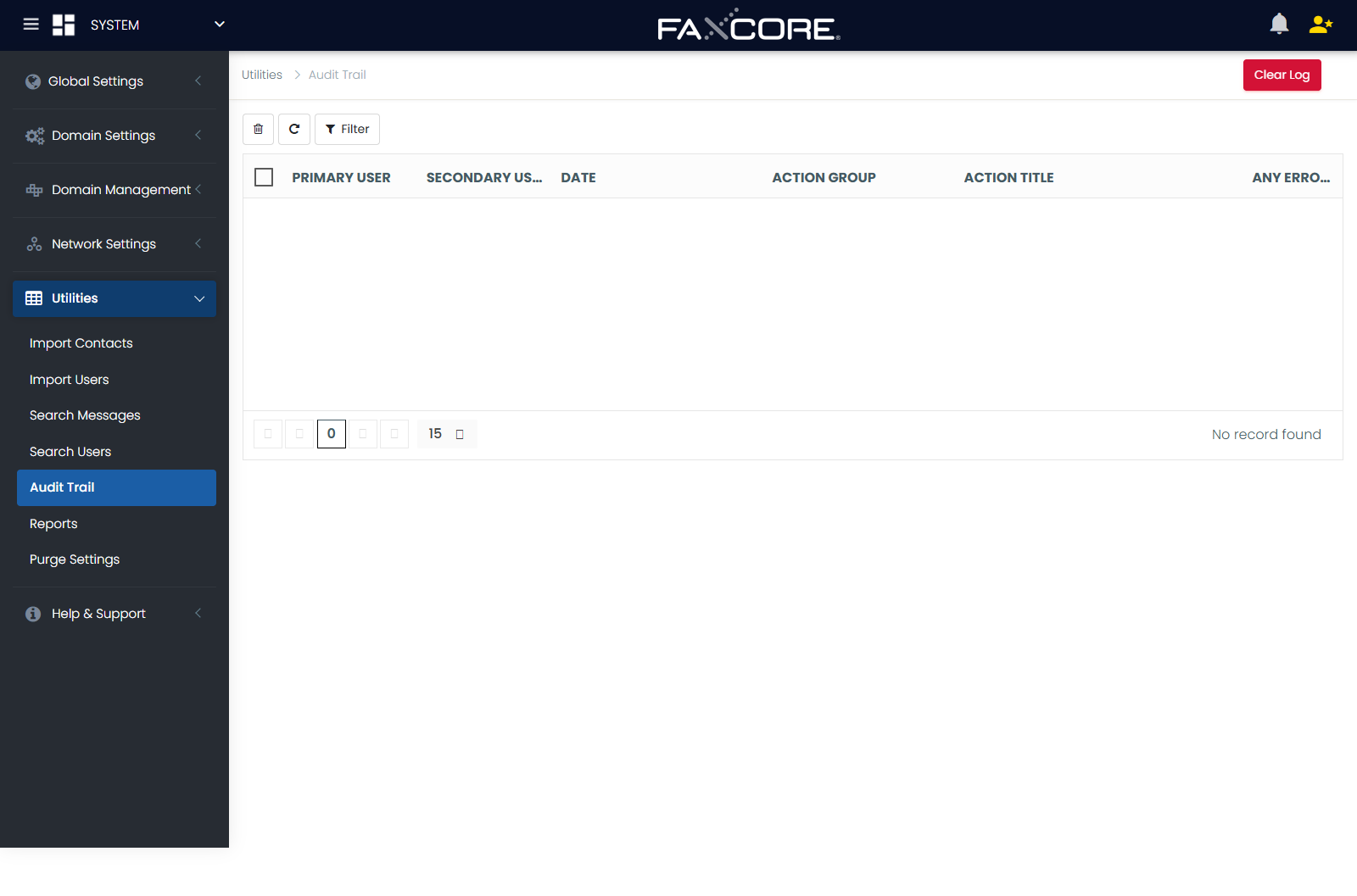
Search Filter Criteria
Click Filter to open the search parameters:
| Filter Parameter | Description |
|---|---|
| Primary User | The username or administrator account that initiated the action. |
| Secondary User | The affected user account (e.g., the user whose password was reset or whose permissions were modified). |
| Start Date / End Date | Precise timestamp range for the audit query. |
| Action Group | Categorical event classification (e.g., User Management, Domain Settings, Telephony Routing, Security & Auth, System Maintenance). |
| Action Title | Specific action name (e.g., Create User, Modify Routing Rule, Delete Domain, Update SAML Config). |
| Any Error? | Filter for failed operations or security access violations (All, Yes, or No). |
Click Search to execute the query.
2. Inspecting Audit Detail Records
Selecting any row in the audit grid opens the detailed Audit Trail Record:
+-----------------------------------------------------------------------------+
|                            AUDIT RECORD DETAILS                             |
+-----------------------------------------------------------------------------+
| ID:            104829                                                       |
| Action Date:   2026-10-08 09:42:15 UTC                                      |
| Primary User:  admin@corporate.domain                                       |
| Secondary User:jdoe@finance.domain                                          |
| Source:        Web Admin Portal (/admin/)                                   |
| IP Address:    192.168.10.45                                                |
| Action Group:  User Management                                              |
| Action Title:  Update User Permissions                                      |
| Error:         None                                                         |
| Description:   Granted 'Allow International Fax' and updated Document Quota |
| Extra Comment: Approved by Ticket #SEC-9812                                 |
+-----------------------------------------------------------------------------+
Key Compliance Fields Captured:
- Caller IP Address: Network source address of the administrative session.
- Dual Identity Attribution: Clear separation between the actor (Primary User) and the subject (Secondary User).
- Before / After State Details: Specific properties altered during the transaction.
3. Regulatory Compliance Guidelines
| Compliance Standard | Relevant Audit Capability |
|---|---|
| HIPAA Security Rule (§164.312(b)) | Hardware and software mechanisms that record and examine activity in information systems containing or utilizing ePHI. |
| SOC 2 Type II (Trust Principles) | Continuous logging of administrative role changes, MFA adjustments, and user lifecycle events. |
| Sarbanes-Oxley (SOX Section 404) | Traceability of financial document routing rules, printer redirection, and permission changes. |
4. Log Retention & Archival
- Database Persistence: Audit trail entries are stored in the core FaxCore SQL Server database (
fxAuditTrailtable). - Purging Rules: To maintain database performance while preserving compliance archives, configure automated retention windows under Database Purging.
- Exporting: Audit logs can be queried directly via SQL Reporting Services, the FaxCore REST API, or exported to enterprise SIEM platforms (Splunk, Microsoft Sentinel, Datadog).